 Tendrl
Docs / Contact / services/creating-services
Creating Services
Build services with validation rules to enforce data quality for your entities.
Create a New Service#
- Navigate to Services in the sidebar
- Click Create Service
- Provide a name for the service (e.g., "Temperature Sensor", "Motion Detector")
- Add validation rules for each expected field
- Save the service
Adding Validation Rules#
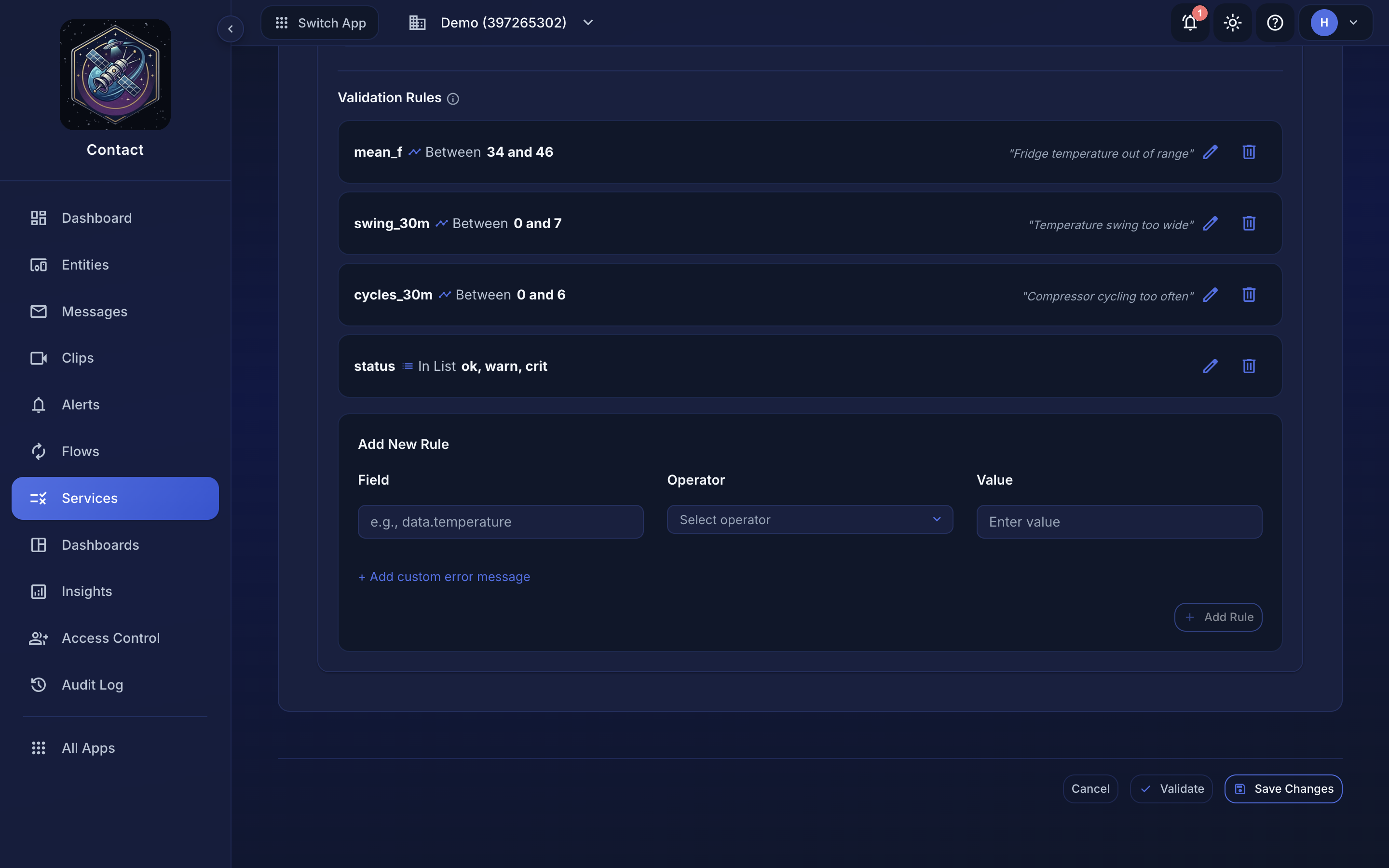 Each saved rule reads back as Field · Operator · Value; the builder below adds another.
Each rule consists of:
- Field -- The path to the field in the message data (e.g.,
temperature,location.lat) - Operator -- The comparison to perform (see Validation Rules)
- Value -- The expected value or range
A service holds one or more dynamic actions. Each carries its own rules, optional requiredFields, and tags. Every dynamic action is evaluated against every publish message the entity sends: the name labels the results, it does not select which messages the action applies to. Rules live inside a dynamic action; a top-level rules array is not part of the service shape and is ignored.
Example: Weather Station#
| Field | Operator | Value |
|---|---|---|
temperature |
between |
[-50, 60] |
humidity |
between |
[0, 100] |
pressure |
between |
[300, 1100] |
station_id |
startsWith |
"WS-" |
JSON Example#
{
  "name": "Weather Station",
  "dynamicActions": [
    {
      "name": "message:weather:reading",
      "requiredFields": ["temperature", "humidity"],
      "rules": [
        { "field": "temperature", "operator": "between", "value": [-50, 60], "message": "Temperature out of range" },
        { "field": "humidity", "operator": "between", "value": [0, 100], "message": "Humidity out of range" },
        { "field": "pressure", "operator": "between", "value": [300, 1100], "message": "Pressure out of range" },
        { "field": "station_id", "operator": "startsWith", "value": "WS-", "message": "Station ID must start with WS-" }
      ],
      "tags": ["weather-invalid"]
    }
  ]
}
Per dynamic action:
name: labels the action in validation results (amessage:type:actionnaming convention is conventional but not enforced). It does not filter which messages are checked.requiredFields: fields that must be present in the messagedata; a missing one is recorded as a failure.rules: the field-level checks (see Validation Rules).tags: tags injected onto the message when this action's validation fails, so flows can route failed messages to specific connectors.
Validation never rejects a message. A message that fails its rules is still stored: it is marked validation_status: "failed" and the per-rule outcomes are attached as actionResults. To act on failures, route on the action's injected tags rather than expecting a rejected request. See Validation Rules.
Assigning a Service to an Entity#
- Navigate to Entities
- Edit the entity
- Select the service from the Service dropdown
- Save
All subsequent messages from that entity will be validated against the service's rules.
Editing a Service#
- Navigate to Services
- Click the service name to open its detail page
- Modify rules as needed
- Save
Changes to a service take effect immediately for all entities using that service. Existing messages are not re-validated.
Deleting a Service#
- Clear the Service field on every entity that references the service
- Navigate to Services
- Click Delete on the service
- Confirm the deletion
While any entity still references the service, the delete is refused with 409 and the message Service is in use by one or more entities. There is no fallback to a default service.
Next Steps#
- Validation Rules -- Full operator reference
