 Tendrl
Docs / Contact / entities/fanouts
Fanouts
A fanout is a message-routing target. Instead of sending the same message to many entities one at a time, you publish once to a fanout and Contact fans the message out to every entity in it. Fanouts are about delivery, not organization: a fanout exists so you can address one or more entities with a single publish.
A fanout holds a list of member entities. When you publish to the fanout, each member receives its own copy of the message, and you get back a per-entity delivery report.
A fanout is about messaging: one publish reaches many entities. A directory is about organization and access: where an entity lives in your fleet hierarchy and who can manage it. An entity can sit in a directory and also be a member of one or more fanouts; they don't overlap.
Creating a fanout#
- Navigate to Entities → Fanouts
- Click + to add a fanout
- Enter a name, description, and the tag that will route messages to it
- Search for entities to include, then click Create
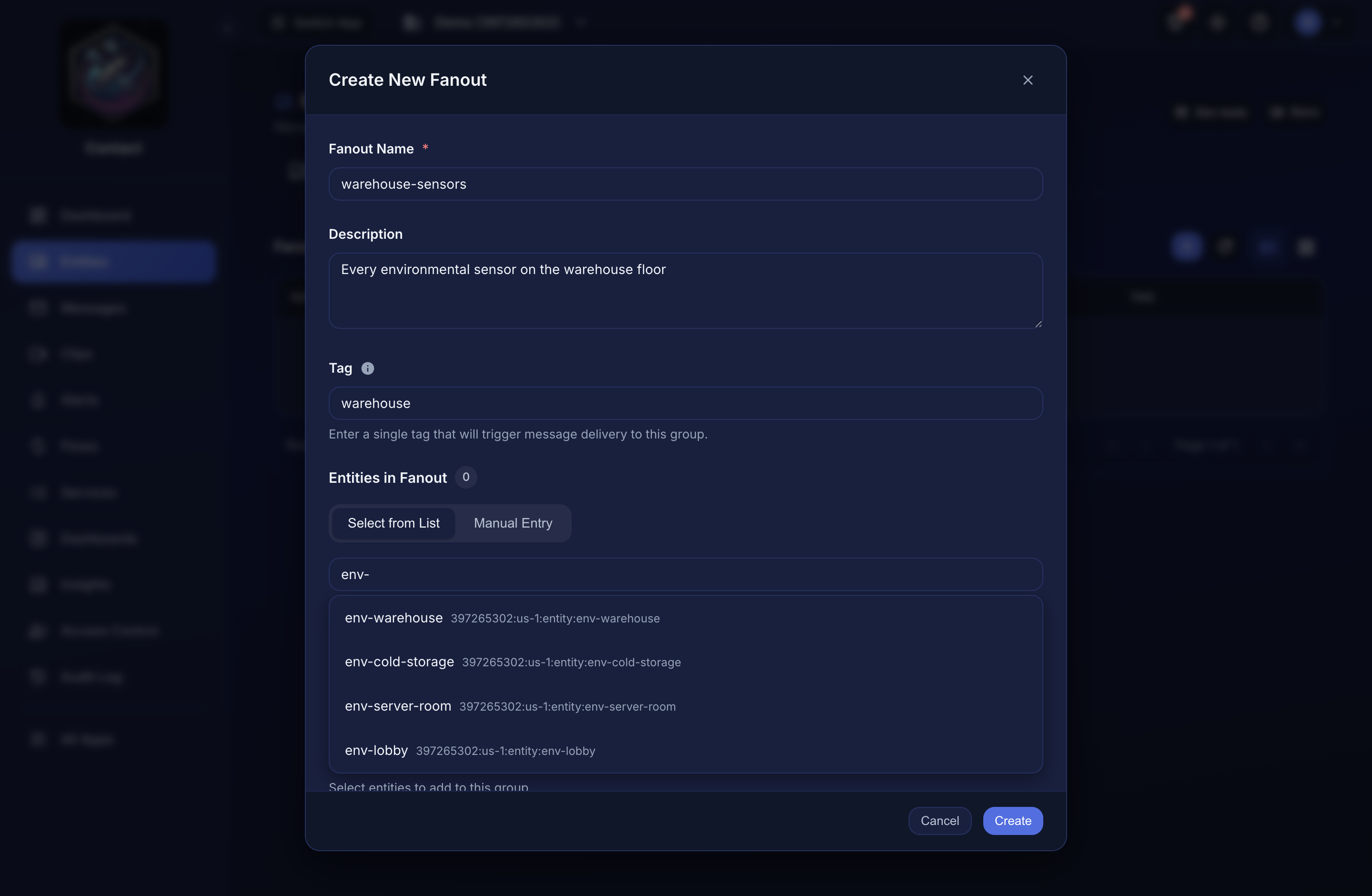 Members can be picked from the list or entered manually; the tag is what routes messages here.
A new fanout starts empty. Add members to it before publishing.
Managing members#
Members are managed on the fanout itself: adding an entity to a fanout does not change the entity, it just adds it to the fanout's delivery list.
- Add a member: from the fanout's page, add an existing entity. You can only add entities you have permission to publish to.
- Remove a member: remove an entity from the fanout's member list. The entity itself is unaffected.
An entity can belong to more than one fanout, and adding the same entity twice is a no-op, since membership is a set.
The same operations are available over the API:
| Method | Path | Description |
|---|---|---|
POST |
/api/fanouts/{fanout}/entities |
Add an entity to the fanout |
DELETE |
/api/fanouts/{fanout}/entities/{entityId} |
Remove an entity from the fanout |
In these paths, {fanout} is the fanout's name. Both calls address the member by its full resource path, not its entity name. POST takes a JSON body:
{ "entityId": "1234567890:us-east-1:entity:temperature_sensor_01" }
and DELETE takes that same resource path as the {entityId} segment.
Publishing to a fanout#
Publish a message to the fanout and Contact delivers it to all member entities. Here {fanout} is the fanout's name:
POST /api/fanouts/{fanout}/publish
{
  "msgType": "publish",
  "data": { "action": "reboot" }
}
The fanout publish body uses msgType (camelCase), where the single-message endpoint (POST /api/entities/message) uses msg_type (snake_case). Use the right casing for each endpoint. msgType is optional and defaults to publish; sending a custom type such as command still delivers the message but hides it from the Messages page, which lists publish messages only.
The response reports delivery for the whole fan-out:
| Field | Description |
|---|---|
totalEntities |
Number of members the fanout attempted to deliver to. |
successfulDeliveries |
How many members received the message. |
deliveredTo |
The entities that received it. |
failedDeliveries |
Any members the message could not be delivered to, with a reason. |
Permission is checked once at the fanout level: you need publish access to the fanout to broadcast to its members.
When to use a fanout#
Reach for a fanout whenever you need to address several entities at once:
- Broadcast a message to every device in a fleet or zone; each device acts on it in its own
- Broadcast a state change or alert to all entities that should react to it.
- Push the same data to a set of entities without tracking and looping over their IDs yourself.
- Send a file to every member at once. A fanout broadcast is one scan, one stored object,
@client.on() handler (reload config, change a threshold, reboot).
and the object is kept until the last member collects it, so a fleet-wide push costs a single scan. See File transfer.
If you only ever message entities individually, you don't need a fanout: fanouts earn their keep when one message should reach many entities.
