 Tendrl
Docs / Strand / nodes/transform
Transform Node
The Transform node maps and transforms event data by creating new payloads from existing data.
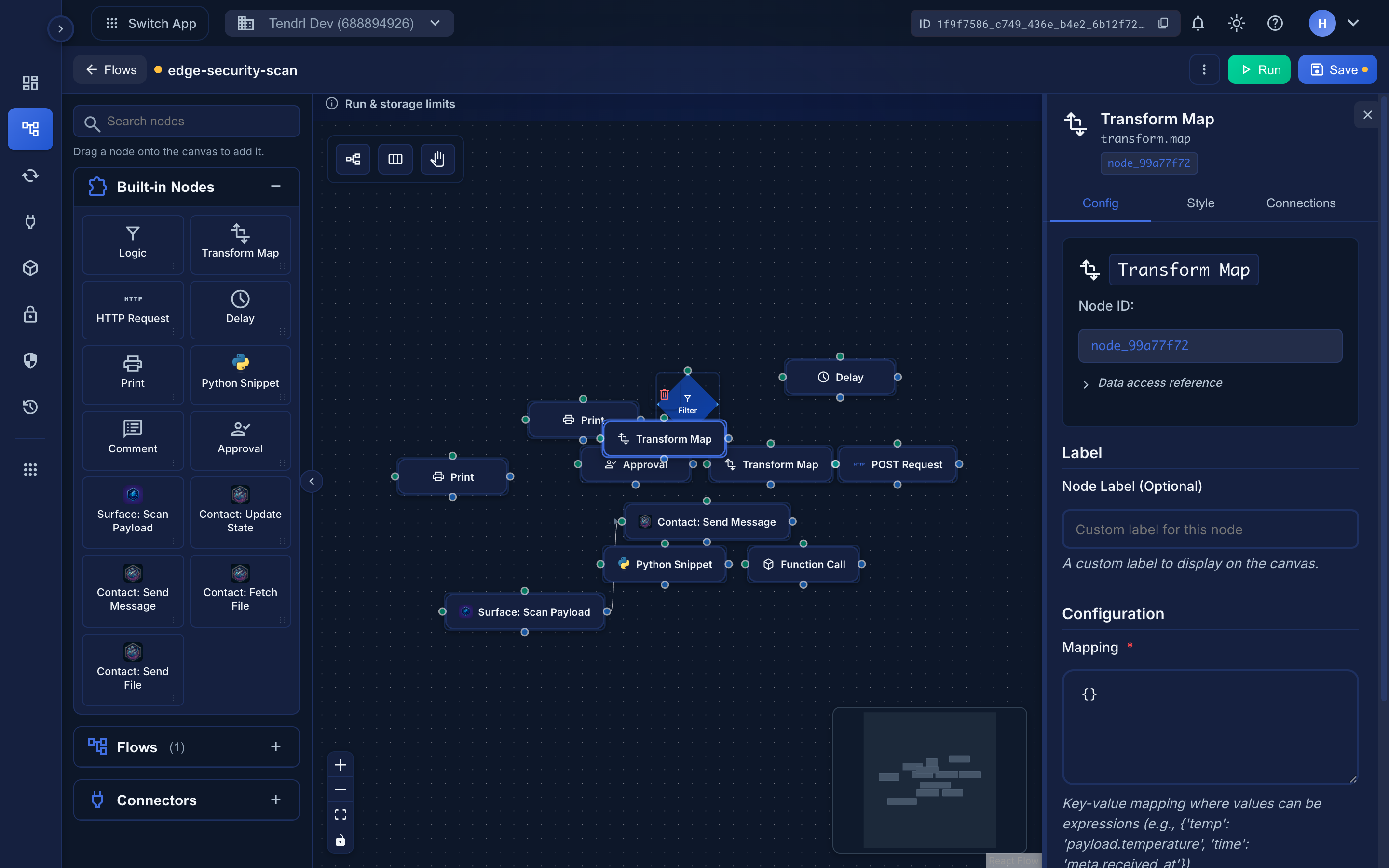 Each mapping value is an expression evaluated against the incoming payload.
Overview#
Transform nodes take input events and create new output events with transformed data structures.
- Reshape data structures
- Combine data from multiple sources
- Calculate derived values
- Normalize data formats
Configuration#
| Field | Type | Required | Description |
|---|---|---|---|
mapping |
object | Yes | Object mapping new field names to expressions |
Mapping Format#
The mapping field is a JSON object where:
- Keys = New field names in the output
- Values = Jinja2 expressions that generate the values
{
  "new_field": "{{ expression }}",
  "another_field": "{{ another_expression }}"
}
The output payload contains only the keys you map; every field of the input payload that you don't reference is dropped. (Event meta is carried through unchanged.) To keep the original payload alongside your new fields, map it explicitly:
{
  "new_field": "{{ payload.something }}",
  "_original": "{{ payload | tojson }}"
}
Basic Examples#
Simple Field Mapping#
Input:
{
  "first_name": "John",
  "last_name": "Doe"
}
Mapping:
{
  "full_name": "{{ payload.first_name }} {{ payload.last_name }}",
  "email": "{{ payload.email }}"
}
Output:
{
  "full_name": "John Doe",
  "email": "john@example.com"
}
Using Direct Connection#
When directly connected to the previous node, use payload:
Mapping:
{
  "user_id": "{{ payload.id }}",
  "email": "{{ payload.email }}",
  "name": "{{ payload.first_name }} {{ payload.last_name }}"
}
Using Non-Direct Steps#
When accessing data from a non-directly connected node:
Mapping:
{
  "user_id": "{{ steps.user_lookup.output_payload.id }}",
  "email": "{{ steps.user_lookup.output_payload.email }}",
  "name": "{{ steps.user_lookup.output_payload.first_name }} {{ steps.user_lookup.output_payload.last_name }}"
}
Calculations#
Mapping:
{
  "total": "{{ payload.price * payload.quantity }}",
  "tax": "{{ payload.price * payload.quantity * 0.1 }}",
  "grand_total": "{{ payload.price * payload.quantity * 1.1 }}"
}
Conditional Values#
Mapping:
{
  "status": "{{ 'active' if payload.enabled == true else 'inactive' }}",
  "priority": "{{ 'high' if payload.amount > 1000 else 'normal' }}"
}
Advanced Examples#
Combining Multiple Sources#
Mapping:
{
  "user": {
    "id": "{{ steps.user_lookup.output_payload.id }}",
    "email": "{{ steps.user_lookup.output_payload.email }}"
  },
  "preferences": {{ steps.preferences_lookup.output_payload | tojson }},
  "metadata": {
    "source": "{{ initial.meta.trigger_source }}",
    "workflow": "{{ initial.meta.workflow_name }}"
  }
}
Array Transformations#
Mapping:
{
  "item_count": "{{ payload.items | length }}",
  "total_value": "{{ payload.items | sum(attribute='price') }}",
  "item_ids": "{{ payload.items | map(attribute='id') | list }}"
}
JSONPath Integration#
Mapping:
{
  "active_user_emails": "{{ payload | jsonpath('$.users[?(@.active == true)].email') }}",
  "user_count": "{{ payload | jsonpath('$.users.`len`') }}"
}
Best Practices#
- Use descriptive field names
- Keep mappings simple and readable
- Test with sample data
- Use
defaultfilter for missing data:
   {
     "email": "{{ payload.email | default('unknown@example.com') }}"
   }
- Document complex transformations with comments in expressions
Related#
- Passing Data Between Steps - Accessing previous step outputs
- Jinja2 Syntax - Expression syntax
- JSONPath - Complex data queries
