 Tendrl
Docs / Strand / nodes/delay
Delay Node
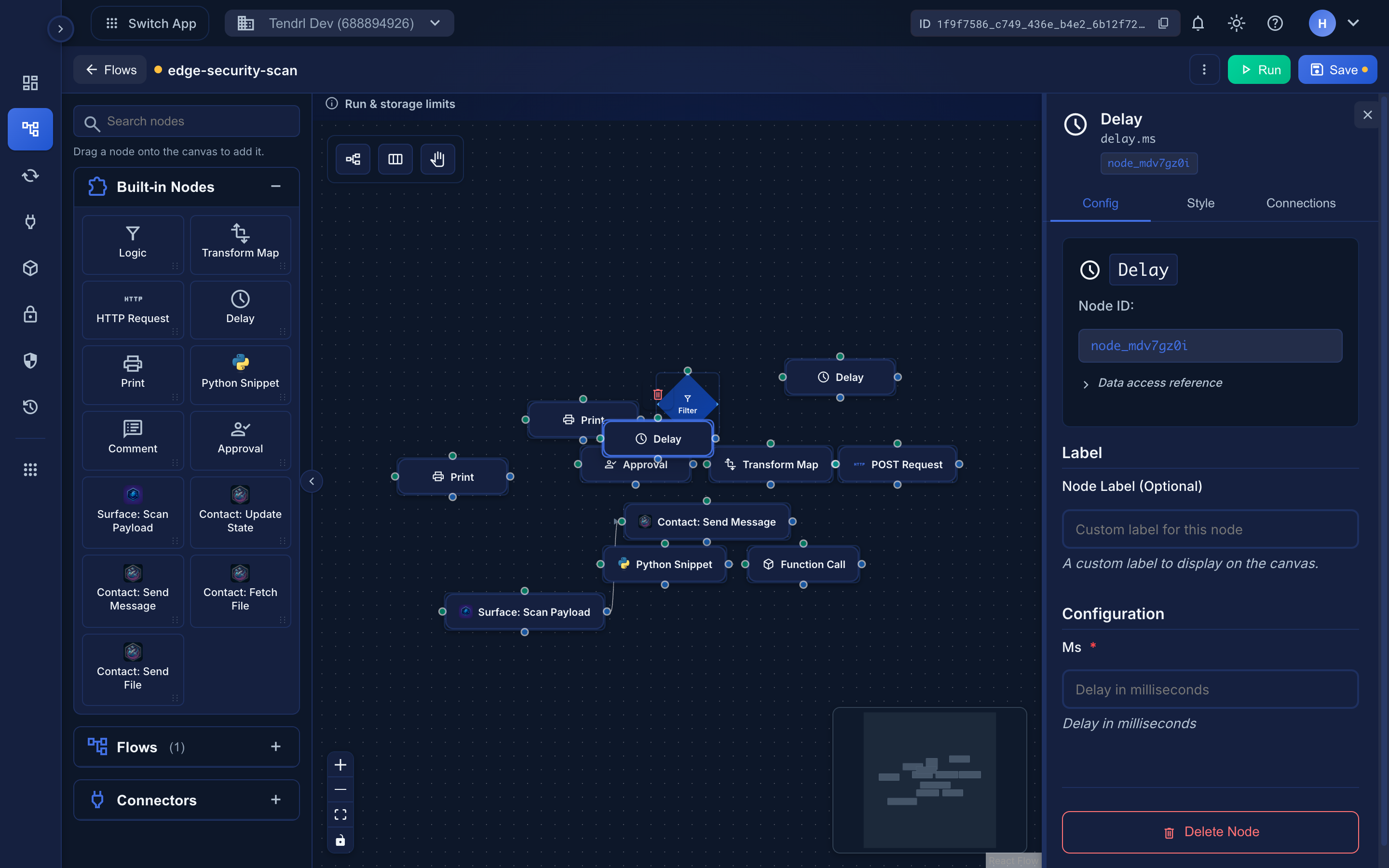
The Delay node adds a delay before continuing to the next node.
 The workflow-level timeout does not tick during a delay.
Overview#
Delay nodes pause workflow execution for a specified duration.
Use Cases
- Rate limiting
- Waiting for external processes
- Throttling requests
- Scheduled delays
Configuration#
| Field | Type | Required | Description |
|---|---|---|---|
ms |
integer | Yes | Delay in milliseconds (maximum 60000, or 60 seconds) |
Maximum delay is 60 seconds
ms is hard-capped at 60,000 ms. Any larger value is silently clamped to 60 seconds; for example, 300000 (5 minutes) runs as a 60-second delay. For longer waits, use a scheduled trigger or external scheduling instead.
Examples#
Simple Delay#
Configuration:
json
{
  "ms": 1000
}
Delays for 1 second (1000 milliseconds).
Dynamic Delay#
Configuration:
json
{
  "ms": "{{ payload.delay_ms | default(5000) }}"
}
Uses delay from payload, defaults to 5 seconds.
Common Delays#
| Duration | Milliseconds |
|---|---|
| 1 second | 1000 |
| 5 seconds | 5000 |
| 10 seconds | 10000 |
| 1 minute (maximum) | 60000 |
Best Practices#
Tips
- Use delays sparingly (they slow down workflows)
- Consider using scheduled triggers instead
- Use for rate limiting when needed
- Remember the 60-second cap: longer values are clamped to 60s
- Document why delays are needed
Performance
Delays block workflow execution. For long delays, consider using scheduled triggers or external scheduling.
